How to enable a new blockchain or token in Pay Protocol?

Documentation Overview
This guide helps merchant administrators complete the following configurations:
- Enable new blockchain networks (such as ETH, BSC)
- Add new cryptocurrencies (Tokens) on the blockchain
This document demonstrates how to add the ETH chain for merchants who have already enabled the Tron chain. The operation process for BSC chain is exactly the same as ETH.
Enable New Blockchain Network
Prerequisites
Before enabling a new chain, you need to prepare 4 administrator wallet addresses. These addresses will be used for:
- Asset management on the new chain
- Multi-signature configuration
- Administrator wallets have the highest system privileges
- Please keep your private keys safe and never disclose them to others
Create Administrator Wallet (Using ETH as Example)
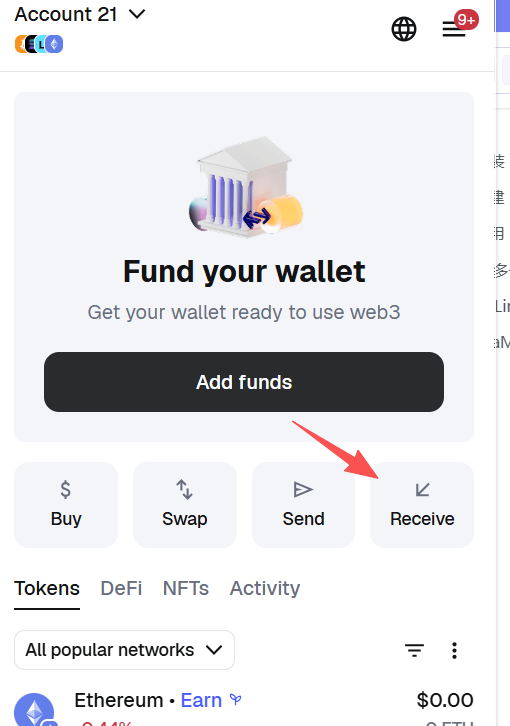
Create Wallet with MetaMask
- Install MetaMask browser extension or mobile app
- Follow the prompts to create a new wallet, be sure to back up your seed phrase
- The wallet connects to Ethereum Mainnet by default
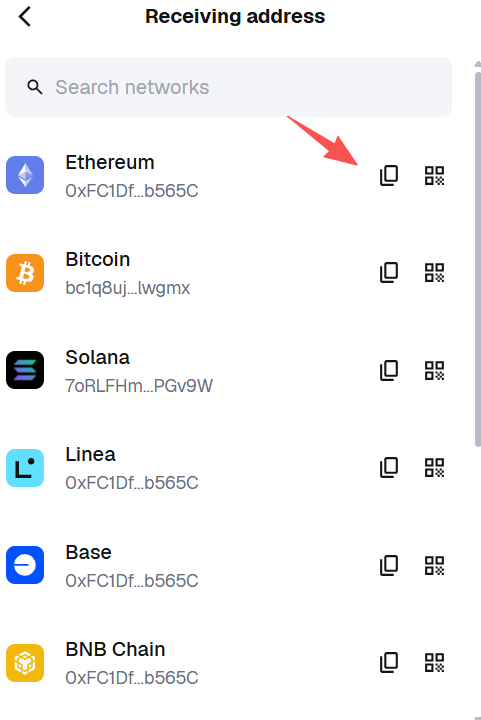
- Copy the wallet address (you need to create 4 administrator addresses, repeat this step for each)
Login to System Backend
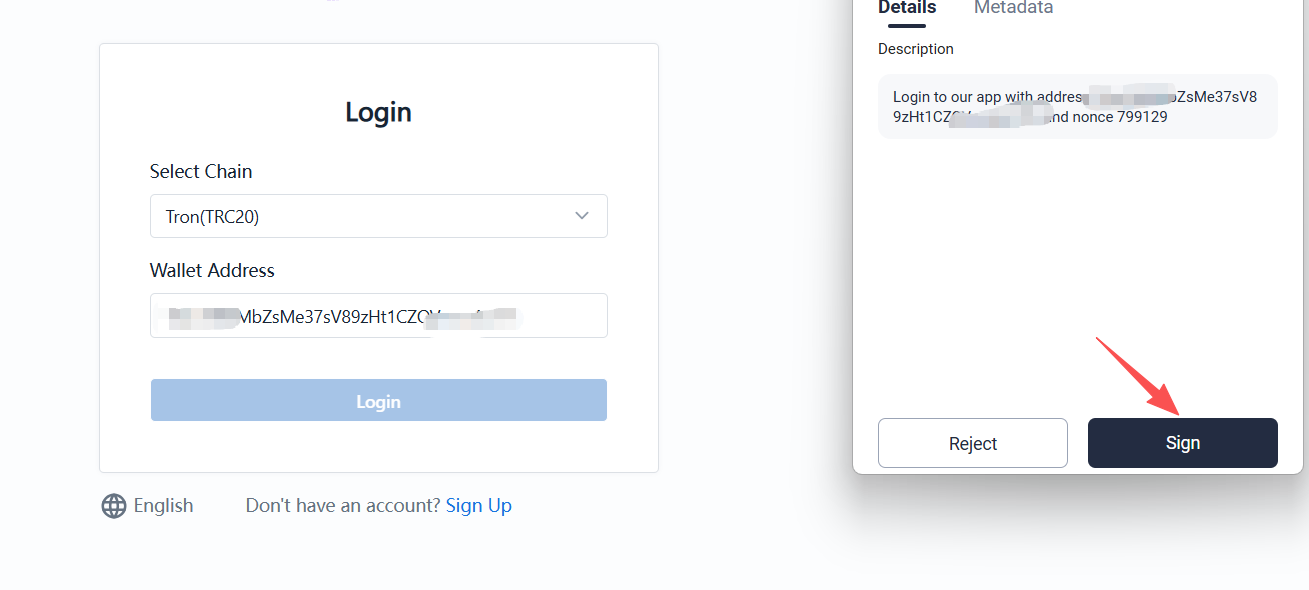
Use the Tron chain administrator account to connect your wallet and log in to the backend system.
Configure ETH Chain Administrator
- Select ETH Chain from the chain list

- Fill in administrator addresses
- Use the 4 ETH wallet addresses created earlier
- Carefully verify the address information before submitting
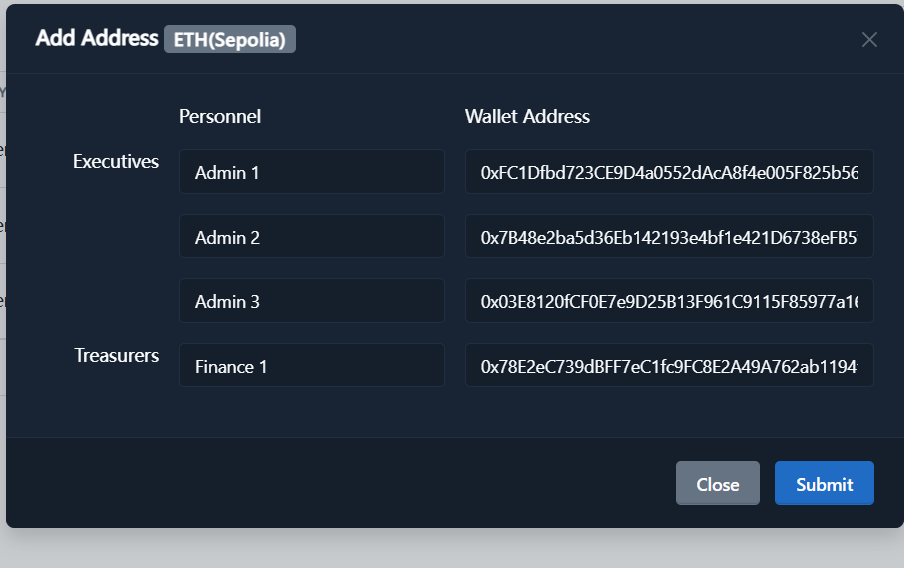
Each administrator address must be unique and cannot be added repeatedly.
- After submission, the system will proceed with the approval process
Configure BSC Chain
The BSC chain setup process is exactly the same as ETH:
- Select BSC for blockchain type
- Fill in BSC chain administrator wallet addresses (you can use the same addresses as ETH since they use the same address format)
Add New Cryptocurrency (Token)
- MetaMask Wallet: You can log in directly using the MetaMask browser extension
- Trust Wallet or Other Wallets: You need to import the wallet into the MetaMask extension first (same method as Tron chain)
Import Wallet to MetaMask (If Needed)
If your wallet address was previously created using Trust Wallet or another wallet, you can import it to MetaMask by following these steps:
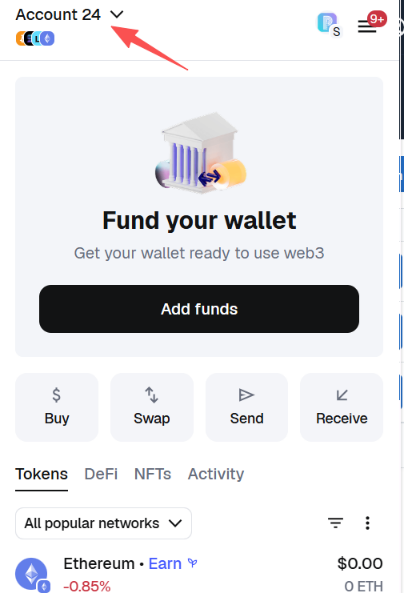
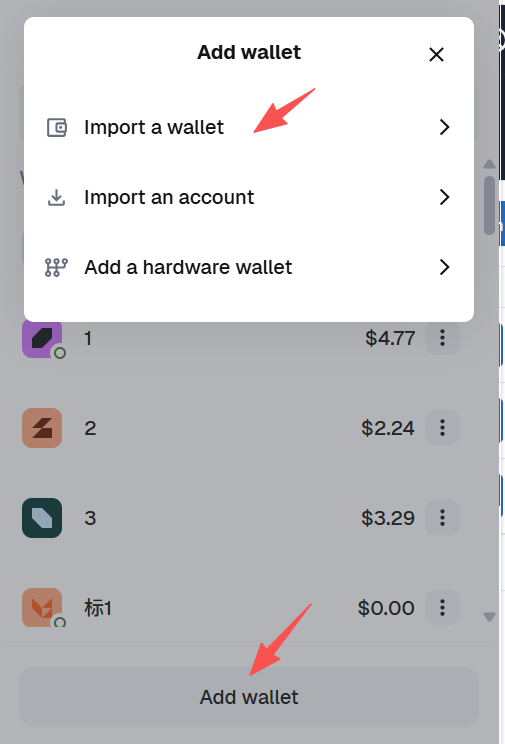
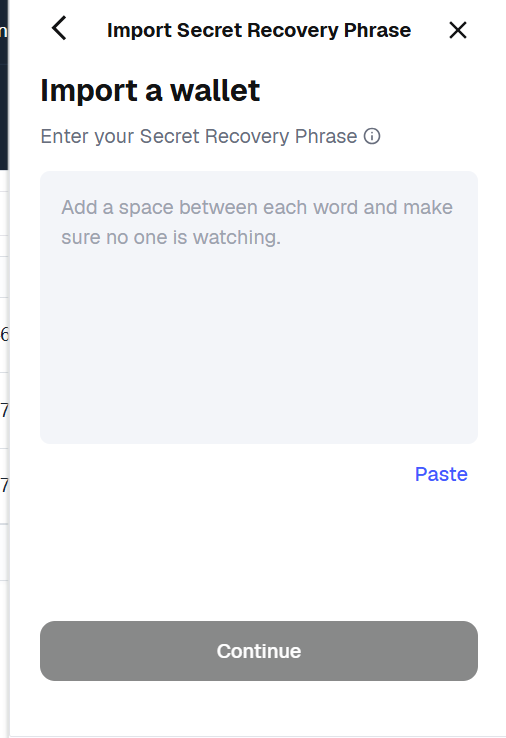
Login to Chain Management Backend
Use the ETH chain administrator account to connect your wallet and log in to the backend, then select "ETH" in the blockchain options.
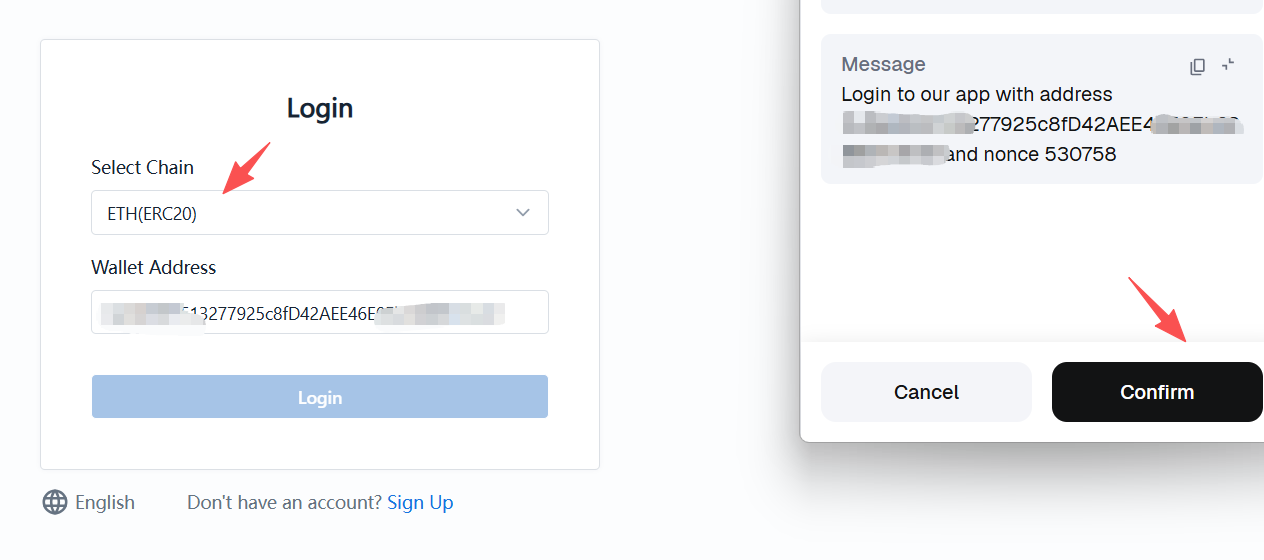
Configure Tokens (Using ETH Chain as Example)
- Navigate to backend management menu: System Configuration → Token List

- Click the Manage Tokens button and select the tokens you want to enable from the list
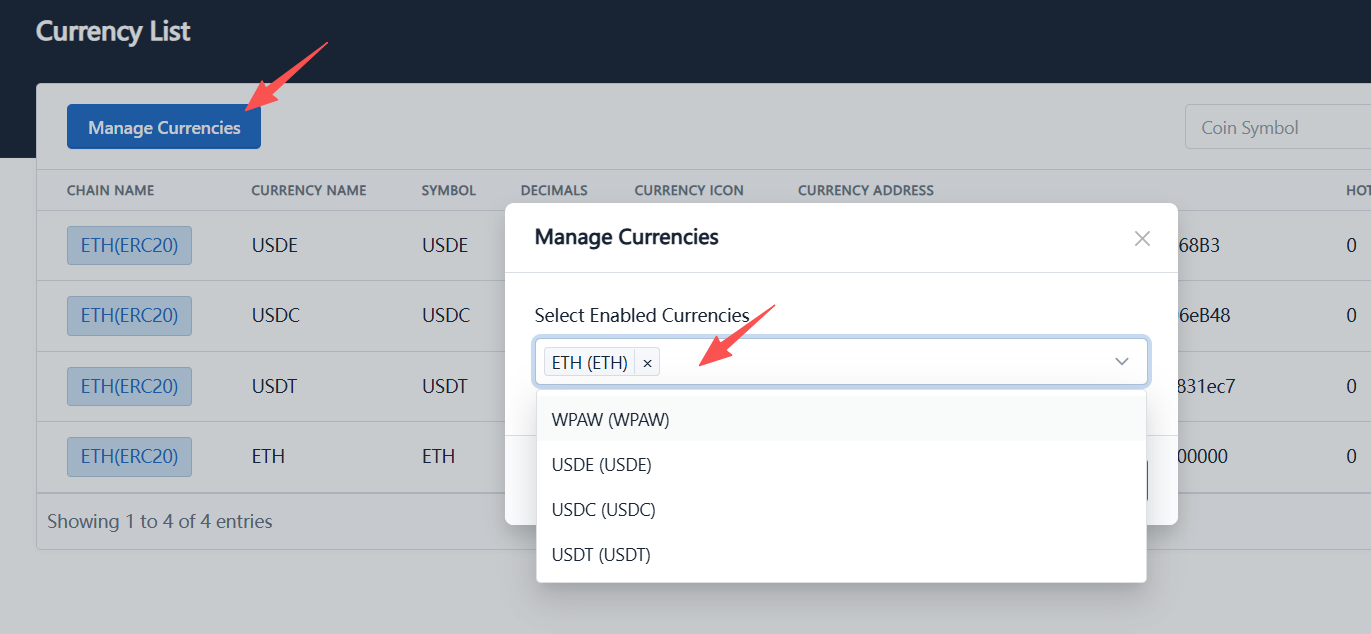
- After confirming your selection, click the "Submit" button
- This operation requires executing a transaction on the blockchain
- It will consume a small amount of Gas fees
- Once the transaction is confirmed, the token is successfully added
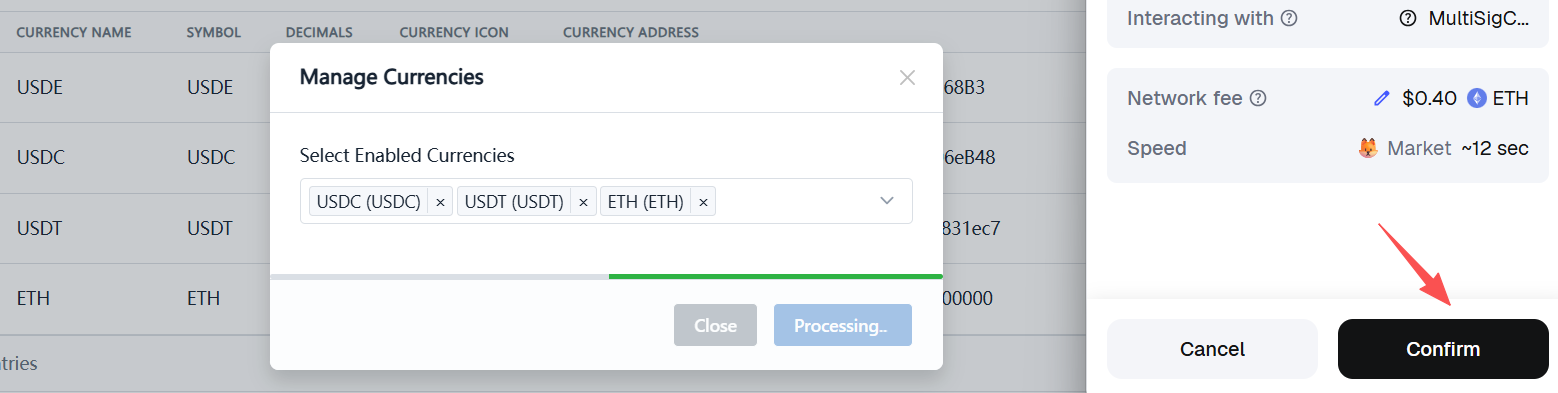
On-chain operations consume a small amount of Gas fees. Please ensure your wallet has sufficient native tokens (ETH chain requires ETH, BSC chain requires BNB).
BSC Chain Token Configuration
The token configuration process for BSC chain is exactly the same as ETH chain, just select BSC chain when logging in.
The demonstration screenshots in this document are from the sandbox test environment. You can familiarize yourself with the entire configuration process in the test environment before performing actual configuration in the mainnet environment. For example, you can add commonly used tokens such as USDC in the mainnet environment.